Detailed description of the Time&Expense Item Workflow and Status. The steps apply both for imported or manually created time and expense items.
Time&Expense Item Status
| New | Initial Status | Anything missing: - Hours - Amount or Financial Account - T&E Date in open Period - User inactive |
| Completed | The item has - hours -or- amount - a financial account, if amount entered - valid date | |
| Reverting back to "New" | removing hours or amount after save | Most likely cause: The user removes the time in the record instead of deleting it. Before saving, a line without hours or an amount is ignored (not saved). Once saved, we assume the details are filled in later. |
How to debug:
- Log in as the user and try to change e.g., the item description - if it fails, it will show the error cause.
If another user ("creator") creates Time+Expense items for the user, the creator must have the permission to create T&E Items and Reports for the user. Without that Salesforce permission, the owner of the record will be the creator, and the user will not see it - see: Enter Time for Others
Submitting Time & Expense
When submitting time, two steps are performed:
- Creating the T+E Report
- Submitting - starting the Approval Workflow
On success, the status of the T&E Report and T&E Item is "Submitted".
In the first step, for all T+E Items with the status of "Completed" a T+E Report is created. That could be one report or multiple, e.g., per Project.
Once a T&E Item is linked to a report, the Item status is ignored for processing and set to the status of the T&E Report.
If the Status of the Report and the Item are different, it indicates some temporary processing error, which usually can be ignored.
There are many things that can go wrong with the submission:
- there is no approver
- there is no approval process (valid prerequisites)
- the approver (user) is inactive -or- the approver delegated, and the delegated user is inactive
- the user does not have the permission to submit (very rare)
If the submission fails, the Status of the T&E Report is "New" - and via the sync mechanism, the status of the T&E Item is also set to "New".
How to debug:
- Check if the Report (with the status of New) was submitted
- Log in as the user and submit the T&E Report
- if this succeeds, the temporary issue at the time of initial submission was fixed
Approving Time & Expense Reports
If approved, the Status of the T&E Report and the T&E Items status is set to "Approved".
If the status stays at "Submitted" it is usually an access/permission issue:
- the (delegated) approver does not have the permission to change the T&E Item and the T&E Report of the user
- check: T&E Report approval history
- Prevention: give approver access to T&E Item and T&E Report (see below)
- Fix: Update the Status of the T&E Report)
Manager Approval Setup
The approver needs to have
- Field access - via Permission Set, e.g. Accorto Administrator
- Record access - via Sharing Rule
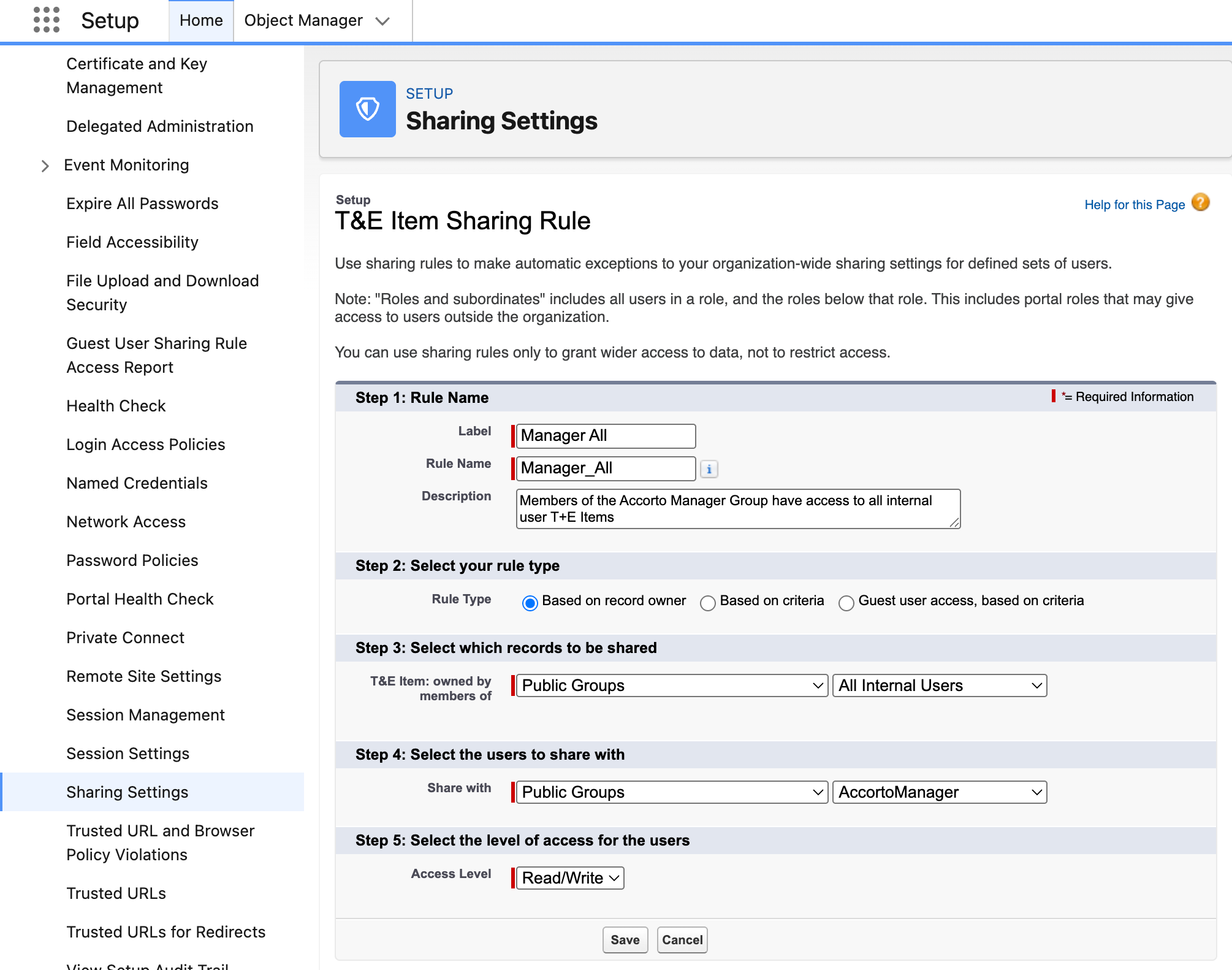
There are many options to grant Record Access. The main screen is > Setup > Sharing Settings
Create Sharing Rules for both: T&E Item and T&E Report
A simple setup is:
- Use one of the public groups "AccortoManager", "Accorto Administrator", or create your own public group
- > Setup > Public Groups
- Assign managers/users to the group
- Create the Sharing Rules
- > Setup > Sharing Settings